RETROFIT · NO PANEL REPLACEMENT · USB PLUG-AND-PLAY
The retrofit that keeps the television
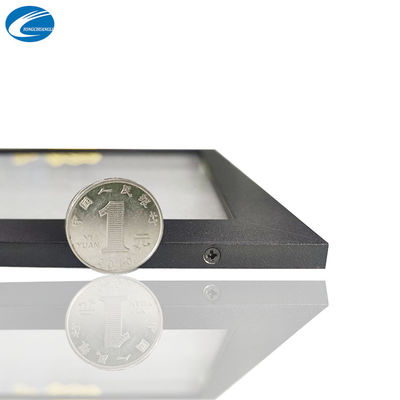
A touch screen overlay for a TV is an infrared frame dimensioned to the television's bezel. It mounts on the front of the set, connects by USB to the source device (PC, Android box, media player), and the television becomes a touch screen without opening the cabinet, voiding the panel, or replacing a working display. It is the dominant retrofit route in classrooms and signage because the economics are simple: the expensive part — the panel — is already on the wall. YCL Touch's catalogue supports the route directly, with frame listings whose stated applications include TV use, DIY TV overlay products in the panel family, and frame sizes running through every consumer television diagonal from 32 to 98 inches.
Specification pattern for TV overlays
| Sensing | Infrared frame, 32768 × 32768 stated resolution |
|---|---|
| Touch points | 10–20 depending on size (20 is the line standard above 43″) |
| Connection | USB to the source device — the TV's own tuner/apps are not touch-enabled; the connected source is |
| Power | USB 5V from the source device |
| Fit requirement | Frame built to the TV's outer dimensions; bezel landing zone confirmed at inquiry |
| Minimum order | 1 piece |
What touch on a TV can and cannot do
The overlay makes the connected source touchable. A Windows PC driving the TV gives you full multi-touch in whiteboard software, browsers and kiosk front-ends. An Android box gives touch in Android apps that support it. The television's built-in smart-TV interface, however, does not become touch-controlled — the frame has no path into the TV's own operating system, and any seller who implies otherwise is selling disappointment. Plan the source first, then the frame: that is the order of operations in our full TV retrofit guide, which also covers the foil alternative for glass-fronted installations.
Sizing a TV overlay correctly
Television diagonals are panel diagonals; frames are built to cabinet dimensions. Two 55-inch TVs can differ by a centimetre of cabinet width. The inquiry asks for brand and model or a front photo with overall width and height — with that, the frame is drawn to your set. If the set is wall-mounted nearly flush, declare it: the frame adds its profile depth to the front face, and mounting clearance has to exist. For classroom fleets being converted in quantity, standardising on one TV model collapses the whole programme to a single drawing — an OEM note worth raising in the inquiry, see OEM services.
A note on evidence
Every figure on this page traces to the manufacturer's own catalogue listings for this model class — dimensions, touch points, interface and stated standards are quoted from those listings, and anything the listings leave open (certification documents for a specific build, confirmed lead time for a specific quantity) is confirmed at quotation rather than filled in here. That discipline is deliberate: a specification page that invents nothing is the only kind worth engineering against, and it is why the inquiry asks for your display model — so the reply can be written against your unit, with the drawing, instead of against a generic diagonal.
Will the frame damage the TV screen?
No — the frame mounts on the bezel and the sensing field sits above the glass; nothing adheres to or presses on the panel surface.
Can one frame serve two TVs?
Only if they are the same model with identical cabinets. Frames are size-specific; a fleet programme should standardise the TV model.